Posted on Leave a comment

MarsWorks PLA Filament Review

If you run a Bambu Lab printer and you’re tired of paying full price for Bambu’s own PLA Basic, MarsWorks is worth a serious look. I tested both the refill and the complete spool versions on a P1S using the default Bambu PLA Basic profile, and the results were indistinguishable from the original. Same quality, potentially lower price, and a spool design that actually improves on Bambu’s.

Spool & First Impressions

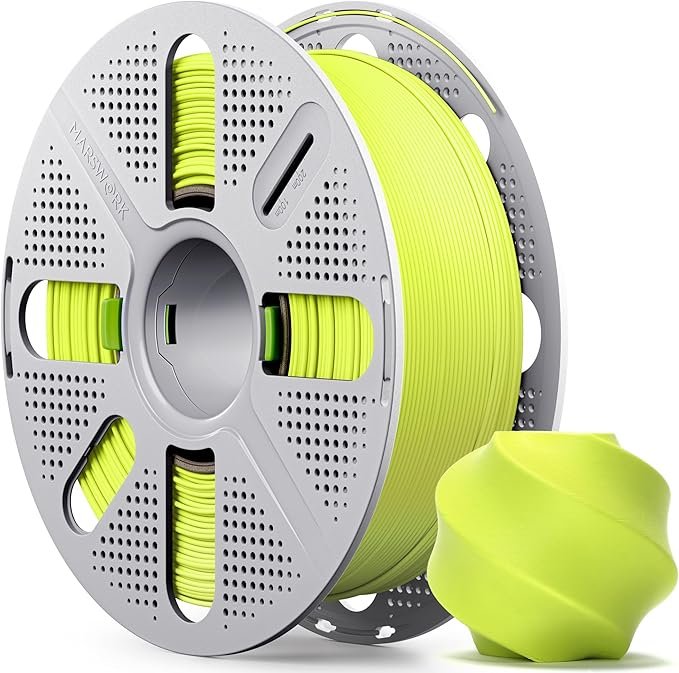
MarsWorks PLA comes in two formats: a refill roll and a complete spool, and both are well thought out.

The refill fits perfectly into Bambu’s reusable spool with no fuss. The complete spool is reusable too, and it has a couple of smart design touches that Bambu’s own spool lacks. Velcro strips let you secure the filament end when swapping or storing, and a clip-based security lock prevents the spool from accidentally coming apart or releasing the refill mid-use. Small details, but the kind that matter when you’re doing frequent filament swaps.

Winding on both was flawless. No loose coils, no tangles, and the refill roll arrived in good condition out of the bag.

đź“· [Photos 1 and 2: MarsWorks refill roll and complete spool side by side. Photos 3 and 4: Packaging MarWorks (left) vs Bambulab (right)]

Dialing It In

Nothing to dial in. I loaded both the White refill and the Yellow complete spool on a Bambu P1S, selected the standard PLA Basic profile, and printed. No adjustments, no first-layer tweaks, no temperature hunting. It just worked.

No RFID Tag — Here’s What to Do

MarsWorks spools don’t include an RFID tag, which means your Bambu AMS won’t auto-identify the filament. The fix is simple: reuse a tag from an empty Bambu spool.

Here’s how:

  1. Pull the RFID sticker off an empty Bambu PLA Basic spool (it peels off cleanly).
  2. Stick it onto your MarsWorks spool in the same position.
  3. Load it into the AMS as normal.

The AMS reads it without issue, and because MarsWorks PLA is formulated to match Bambu’s PLA Basic spec, the settings it pulls from the tag are accurate. I suspect MarsWorks may actually be manufactured by the same OEM as Bambu’s filament — I can’t confirm that, but the behavior in practice is exactly what you’d expect if that were true.

Want to see the full spool install in action? I covered it in this Short:

And here’s the refill install on a Bambu reusable spool:

Print Results

Print quality matched Bambu’s own PLA Basic across the board. Surface finish was clean, dimensional accuracy was spot on, and there were zero defects on either color. The White was a color-accurate match to Bambu’s White, and the Yellow came out consistent and vibrant.

I printed a Nest Mini socket mount as a real-world functional test, and it came out perfectly:

📷 [Photo: Close-up surface finish — White refill print]

📷 [Photo: Close-up surface finish — White refill print]

Best Use Cases

MarsWorks PLA Basic is a drop-in replacement for Bambu’s own filament. If you print mostly functional parts, everyday objects, or anything where you’d normally reach for PLA Basic, this works exactly the same way. It’s especially practical if you’re printing in volume and want to keep costs down without changing your workflow at all.

Pricing & Verdict

Here’s where it gets regional, so pay attention to your local Amazon pricing before ordering.

Bambu’s own PLA Basic runs €22.99 for a refill and €25.99 for a complete spool in the EU. MarsWorks on Amazon.de comes in at €13.99 for a refill and €19.99 to €21.99 for a spool depending on color — that’s a clear win. On Amazon.nl the gap is smaller: €17.99 for a refill and €23.99 to €25.99 for a spool, which is closer to Bambu’s pricing and less compelling. In the US, prices range from $14 to $23 depending on color and format, so again, check before you buy.

The verdict is simple: if the price is right on your local Amazon, just get it. The quality is there, the AMS compatibility is solid with a reused RFID tag, and the spool design is actually better than Bambu’s. When the price is at or above Bambu’s, stick with the original. But when it’s cheaper — and it often is — MarsWorks is the easy choice.

Where to Buy

Check current pricing on Amazon and grab it if the deal is there:

👉  MarsWorks PLA Filament — Amazon (Affiliate link)

Posted on Leave a comment

Flashforge AD5X 3D Printer Review

🖨️ I Tried the Flashforge AD5X — Here’s What Surprised Me

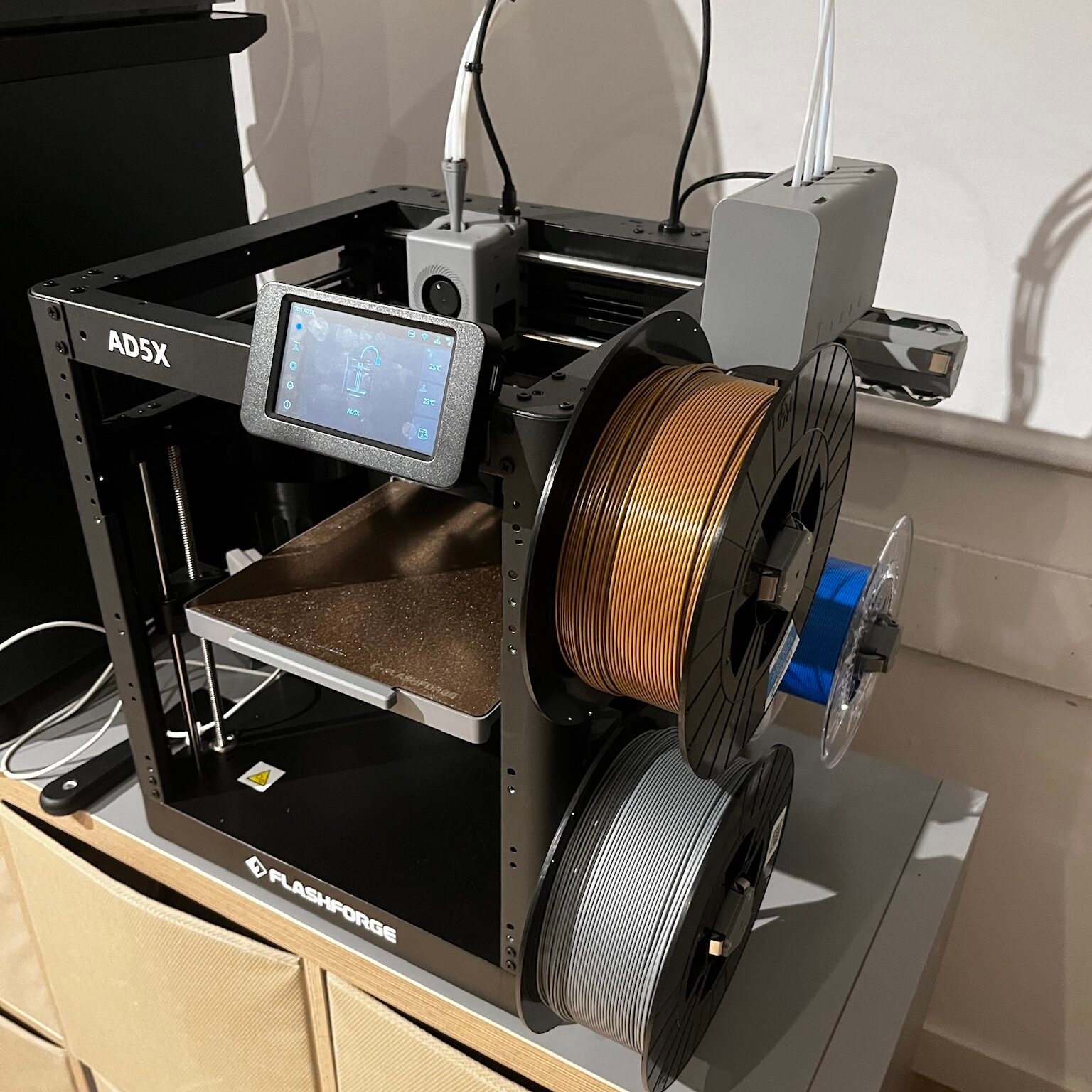
When Flashforge reached out and offered to send me their AD5X for review, I was curious but cautious. I’ve tested many printers over the years, and while I didn’t pay for this one, I also wasn’t paid to review it — so I could truly give my honest opinion.

A few days later, the box arrived. From unboxing to printing my first part, it took me just 20 to 30 minutes — fast enough to impress me right away. The printer came mostly pre-assembled, and calibration was quick. It even included a 4 PLA samples (about 100g in total), but I skipped straight to one of my own spools because I already had a few product batches to test.

đź§© First Impressions & Early Prints

The first print needed a little tuning — the Z offset was slightly high, so the first layer didn’t stick perfectly. But after that adjustment, it’s been running flawlessly. I haven’t needed to tweak it since, even after many batches.

I started printing some of my usual designs: the Coffee Spoon Tamper and the Rolling Pin Cookie Spacer models I know inside out and could easily compare across printers, but very fast I moved into a batch of trophies for an event that I was organizing.

What really stood out was the print quality. For a machine that costs around $399 USD, the AD5X performs close to what I get from my BambuLab P1S or even a Prusa Mini. The surfaces are smooth, layers consistent, and it handles PLA and PETG perfectly using default slicer settings.

FlashforgeAD5X_Prints

⚙️ Highlights That Make a Difference

The AD5X is a Core XY printer that punches above its price range.
It features:

  • Automatic bed leveling

  • Automatic filament changing (including when switching colors or when a spool runs out — a feature normally reserved for more expensive models)

  • A color touchscreen

  • Metal motion rods, ensuring smooth travel and long-term durability

And perhaps my favorite part: the multi-color module is built into the printer itself, not an external add-on. It keeps the setup compact and tidy — something I wish more brands did.

🔇 A Few Drawbacks Worth Noting

No printer is perfect, and this one’s biggest weakness is noise. The open-frame design looks sleek, but without a full enclosure (top, front, and sides), it’s noticeably louder than my enclosed machines. 

That same open design also means materials like ABS aren’t ideal — without temperature control inside the chamber, you risk corner lifting due to shrinkage.

However, Flashforge has an Enclosure kit for the AD5X which will reduce those drawbacks. Still, for PLA and PETG, it’s rock solid out of the box.

đź§  Curiosity Leads to Experimentation

After a few weeks, I realized the AD5X wasn’t just another review unit sitting on a shelf — it became part of my regular workflow.
It’s been running in parallel with my BambuLab P1S, producing consistent batches of products for my shop. I even started exploring larger nozzle sizes (0.8mm) to test faster prints.

🎥 Some videos:

⚙️ Now to the Professional Review…

🔍 Flashforge AD5X — Key Specs

  • Core XY motion system

  • 4-color automatic filament system

  • Auto bed leveling

  • Color touchscreen interface

  • Metal motion rods

  • Price: ~$399 USD

  • Ideal materials: PLA, PETG

âś… Advantages

  • Excellent value for a Core XY 4-color printer

  • Reliable and consistent print results

  • Compact footprint while still offering generous build volume

  • User-friendly setup — printing in under 30 minutes out of the box

⚠️ Disadvantages

  • Noisy due to open frame

  • Limited material support (not ideal for ABS/ASA printing)

🧩 Who It’s For

If you’re looking for an affordable multicolor Core XY printer that doesn’t compromise on reliability, this is a fantastic choice — especially for hobbyists, small makers, and anyone starting a small-scale 3D printing business on a budget.

The AD5X has genuinely earned its place in my workshop.

đź’ˇ Final Thoughts

3D printers in this price range often cut corners — but the Flashforge AD5X delivers far more than expected. It’s a reliable, compact, and capable workhorse that makes multicolor printing accessible to more people.

If you’re ready to add one to your workshop, check it out here:

👉 Buy the Flashforge AD5X


Posted on Leave a comment

3D Print custom molds for silicone casting

One of my recent 3d print projects combined creativity, local collaboration, and the magic of turning digital designs into real, useful tools.


🔍 How it started

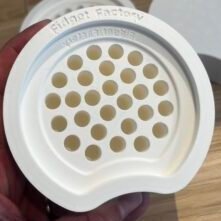
Fidget Factory Workshops (@fidgetfactoryworkshops), a Dutch brand that makes unique silicone-casted fidgets and teaches kids to make their own in workshops, reached out to me on Instagram.
They needed a series of molds to cast silicone parts for their next workshop in Amsterdam and asked for a quotation to check quality and fit.


đź›  My 3D print approach

After discussing details, I printed the first mold on my Bambulab P1S using white PLA.
No supports were required, and the design came out clean and ready to use straight from the build plate — always a satisfying moment!

Impressed by the result, Fidget Factory quickly followed up with an order for four additional molds to keep up with the growing interest in their workshops.


🌱 Curiosity leads to new ideas

Beyond the technical side, what I loved about this project was discovering their creative process of casting silicone into playful shapes.
It sparked an idea: I might design a custom mold of my own for them to test — combining 3D printing with silicone casting to create something truly unique.


✨ Ready to bring your ideas to life with 3D print?

Whether you’re running workshops, launching a product, or need functional prints, turning an idea into a physical object starts with a conversation.
If you’ve been thinking, “Could this be 3D printed?” — don’t let it stay an idea.
Reach out, and let’s see what we can make together.